Cross-check (document vs document)
Module “Cross-check of 2 documents”.
Signing in to your personal account
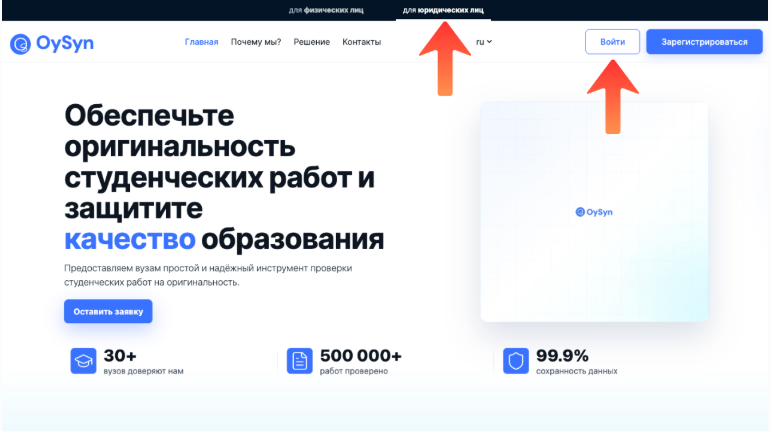
On the website OySyn.asia select the section “For legal entities” and click “Sign in”.
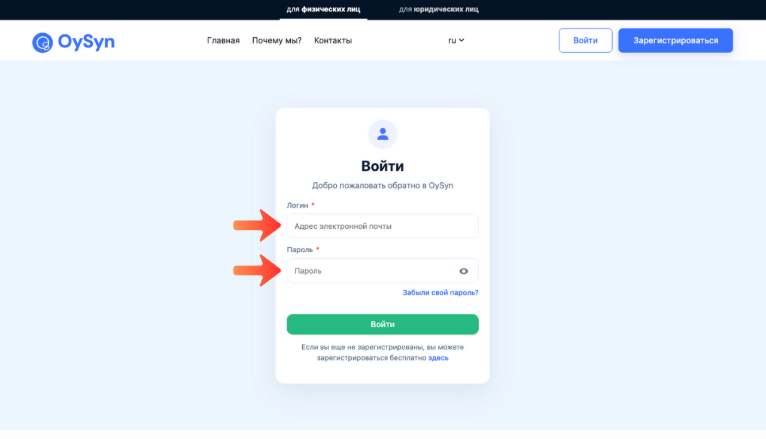
Enter email address and passwordprovided by the administrator or used when signing up.
Click “Sign in”.
Note
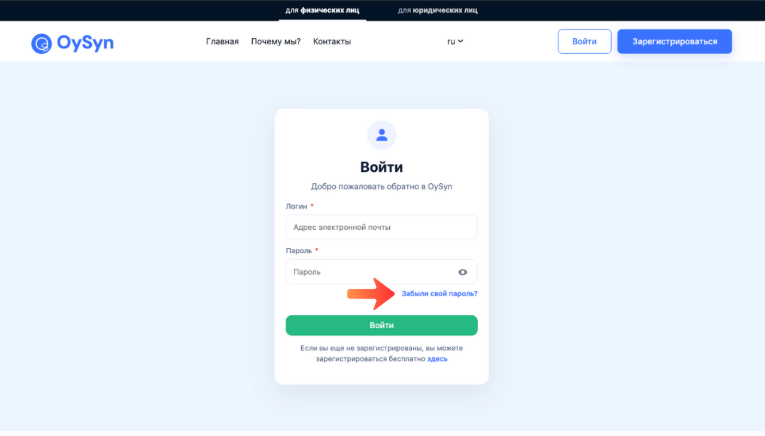
If you don't remember your password, click “Forgot your password?”.
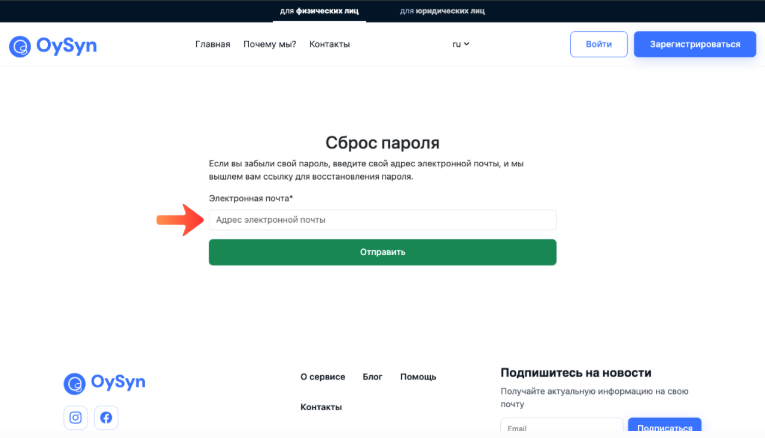
Enter email addressyou used when signing up, and follow the recovery instructions.
“Check history” section
Go to the section “Check history”.
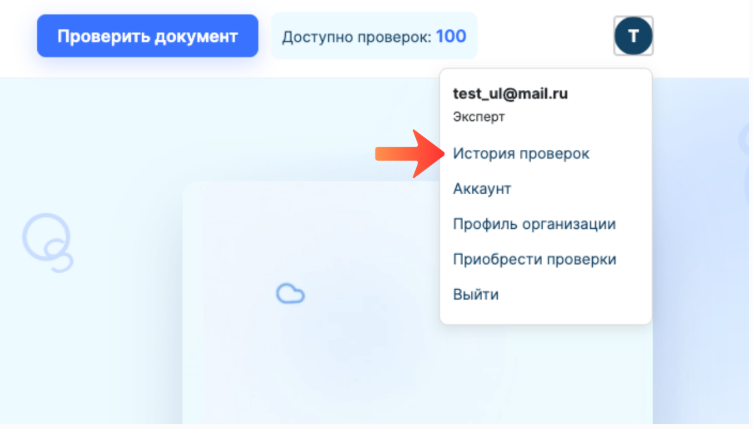
Checking documents in the “Cross-check of 2 documents” module.
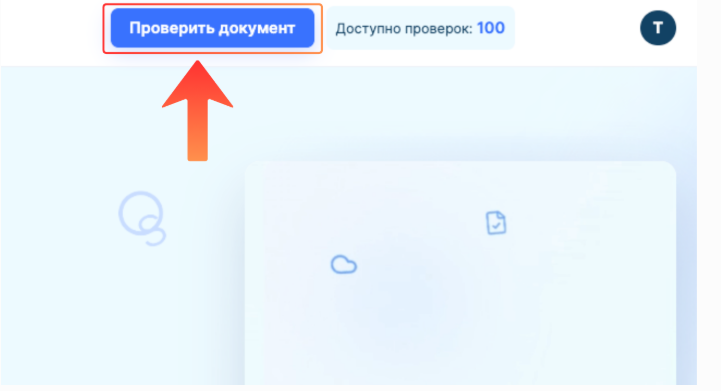
In any section of your personal account, click the “Check document” button in the top bar.
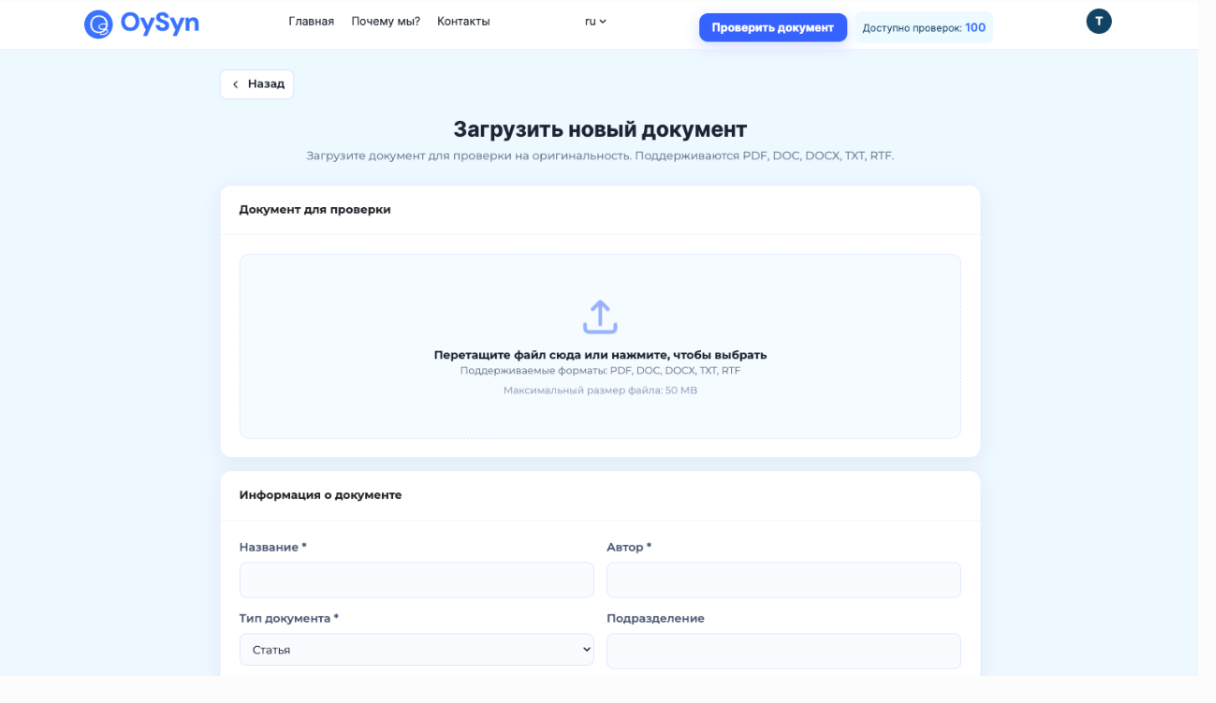
The page for checking a document for originality opens.
Go to the section “Cross-check of 2 documents”.
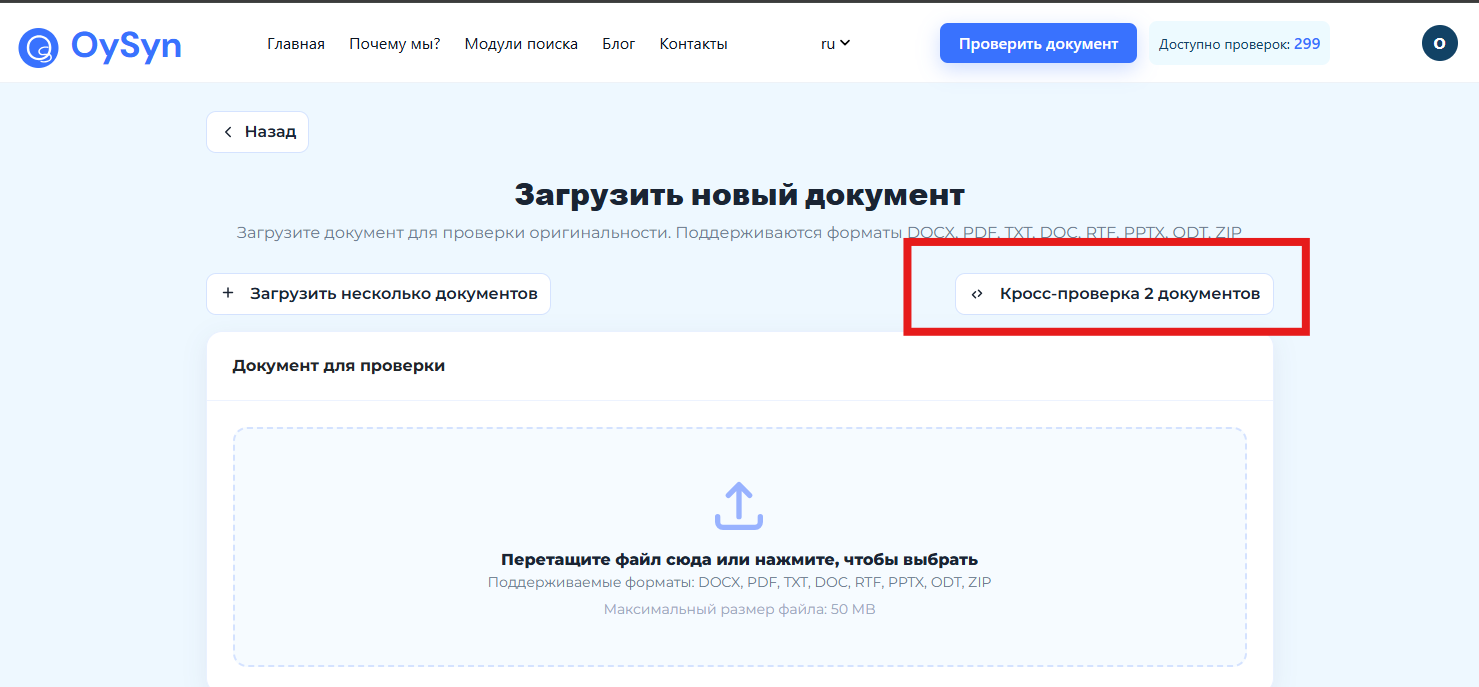
The page opens: “Cross-check of two documents”.
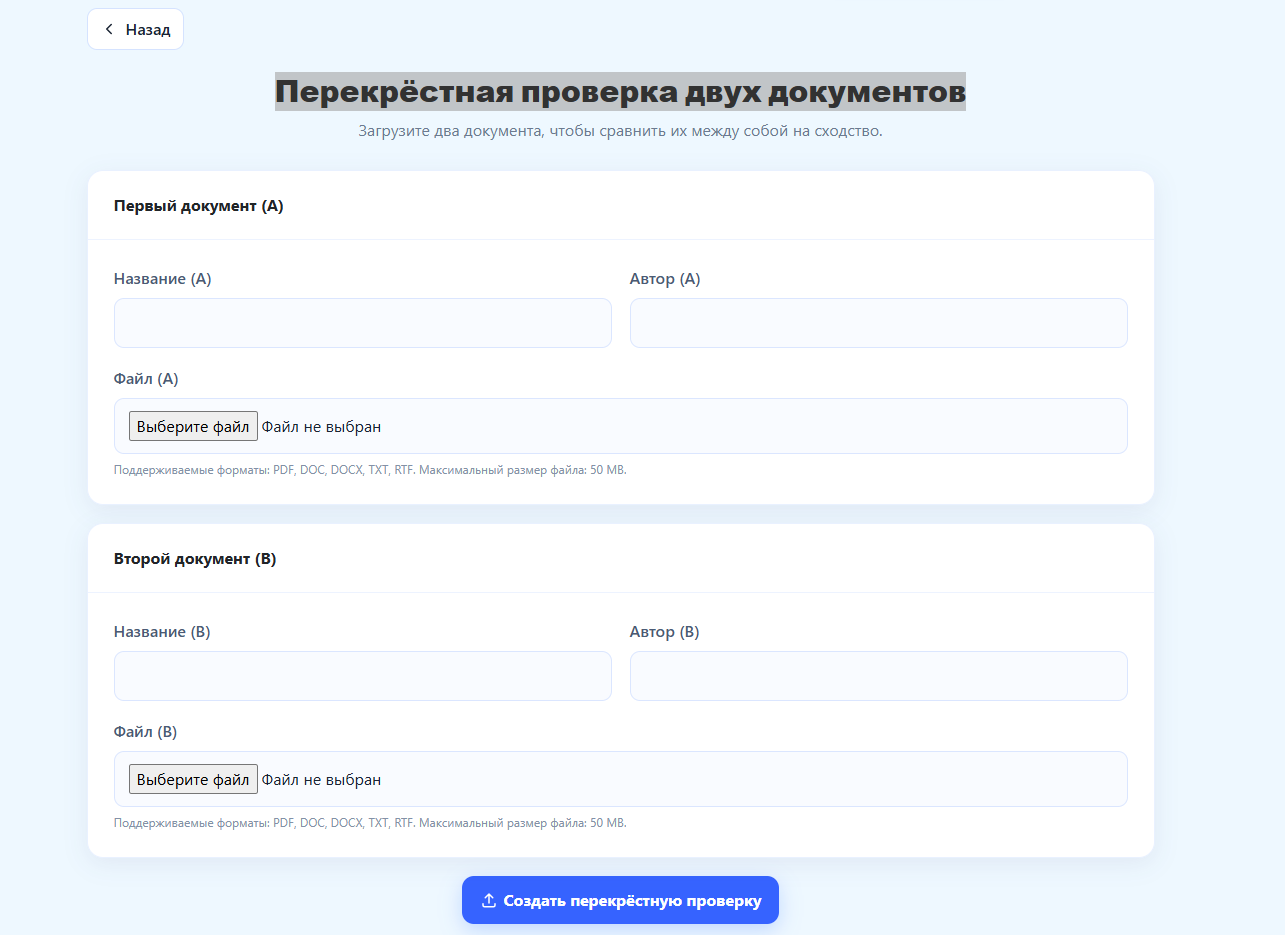 Here you can upload two documents to compare them with each other for similarity.
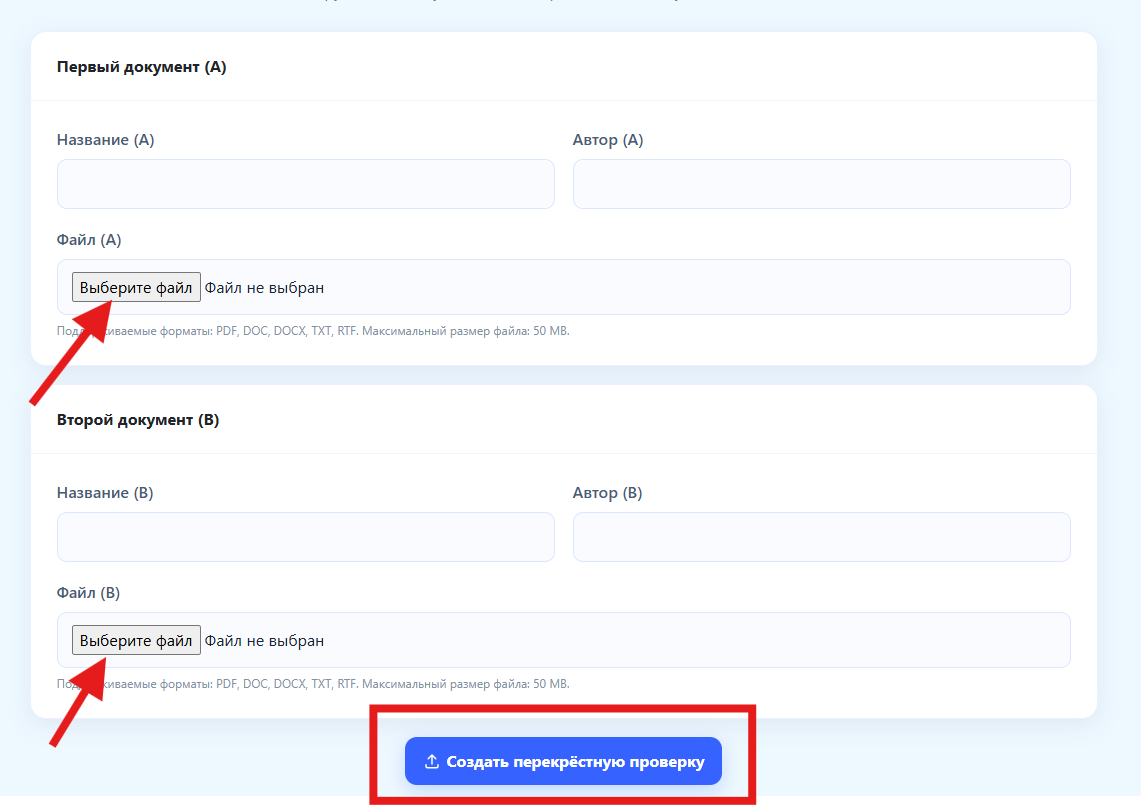 Top of form
To upload the first file, click choose file (A).
To upload the second file, click choose file (B).
Then click the button create cross-check.
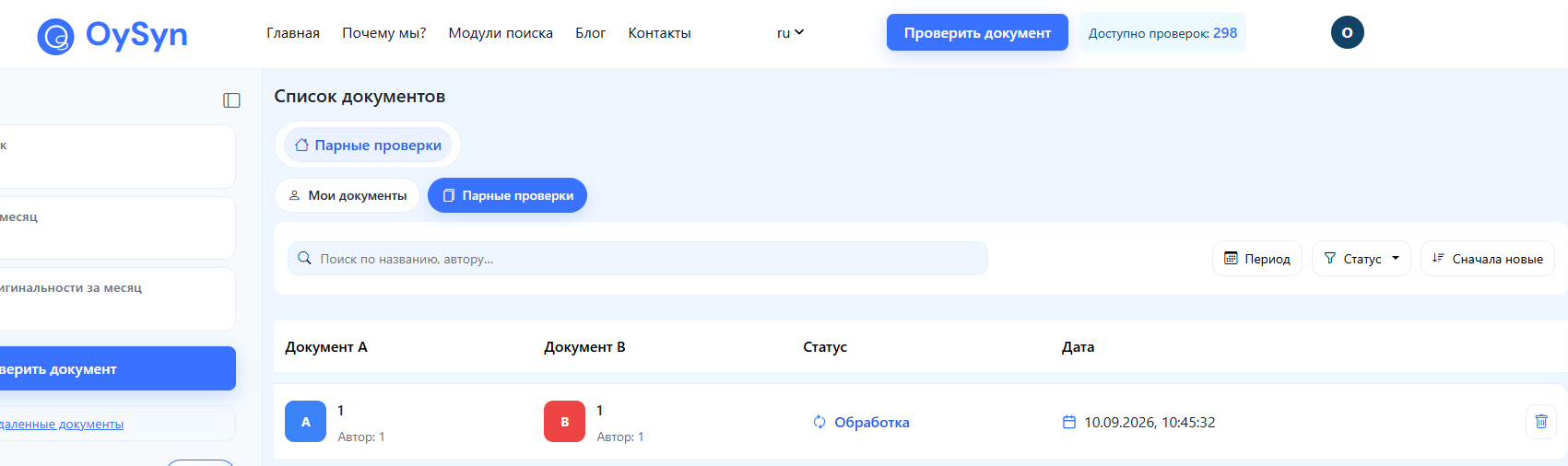
After clicking create cross-check you can find it in the section Paired checks.

When the check is complete, you can download the full and short report.
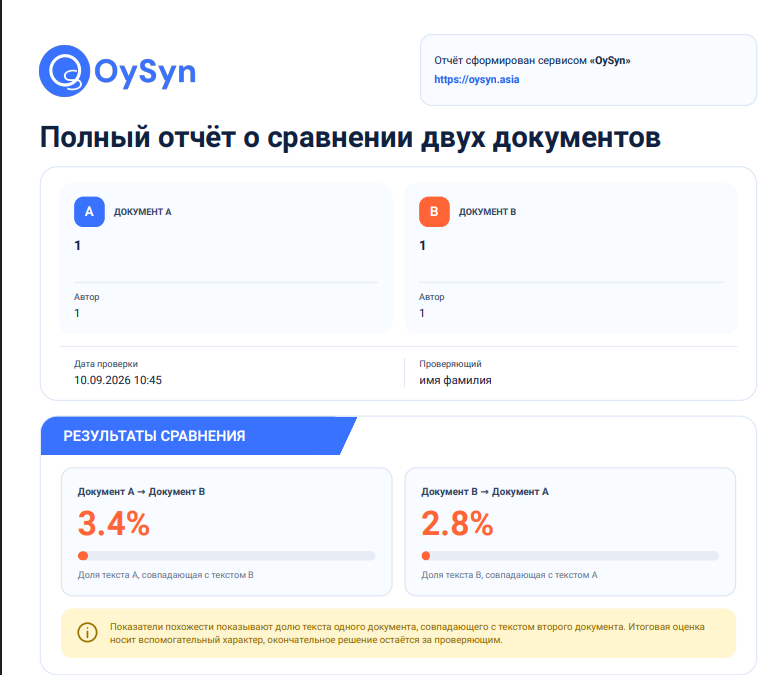
In the full report you can see A full report comparing the two documents.